
Xuanfeng Accelerator Smart Node Selection Deep Dive

It is 8 PM and you open a game to team up with friends, but the client assigns you a node with 300ms latency. You manually switch five times, and by the time you connect, your teammates are already calling you. This is not an isolated case — many users experienced inefficient manual node selection before using Xuanfeng Accelerator. This article explains how we shipped a new smart node selection engine in September 2026 to hand the decision to the machine.
The core experience of an accelerator is "which server to connect to". Early tools listed nodes flat and let users guess. The problem is that node status changes every second: a Tokyo server at 28ms one second can spike to 200ms the next. The latency shown to users is often already stale by the time they click. The industry's common approach is periodic probing with caching, but the longer the cache window, the more distorted the data. Xuanfeng's team started rebuilding the scheduling system in late 2025 with a direct goal: make "one-click connect" truly equal "connect to the current optimum".
1. Why manual selection fails
The inefficiency of manual selection stems from information asymmetry. Users see only two static fields — latency and "load" — but not packet loss, historical jitter or return-path quality, which are what actually determine experience. We sampled 100,000 manual switches and found that over 62% of users ended up on a node that was not the global latency minimum, because a human cannot judge the global optimum across dozens of nodes.
A deeper issue is the "local optimum trap". A user picks "Singapore 03" because it tops the latency sort, but its return path crosses a congested backbone link, causing frequent packet loss during gaming. Low latency does not equal good experience. That is why we expanded the evaluation from latency to three independent factors — latency, load and packet loss — plus historical jitter as a correction term.
2. Three-factor weighting
The engine probes all nodes every 30 seconds. It does not just ping once, but collects four data points: TCP handshake time, current concurrent connections, packet loss in the last 60 seconds, and return-path congestion window change. The four points feed a scoring model that outputs a 0-100 composite score.
| Factor | Weight | Collection | Frequency |
|---|---|---|---|
| Real-time latency | 40% | TCP handshake RTT | 30s |
| Load | 30% | Concurrent / limit | 30s |
| Packet loss | 20% | Probe statistics | 30s |
| Historical jitter | 10% | 24h variance | 1h |
Latency has the highest weight because it is the most direct feel for gaming and video. But load and packet loss are equally critical: a node at 95% load squeezes throughput even with low latency. Historical jitter quantifies stability — a line whose hourly latency swings over 50ms is downgraded even if the current value is low.
3. Real data and validation
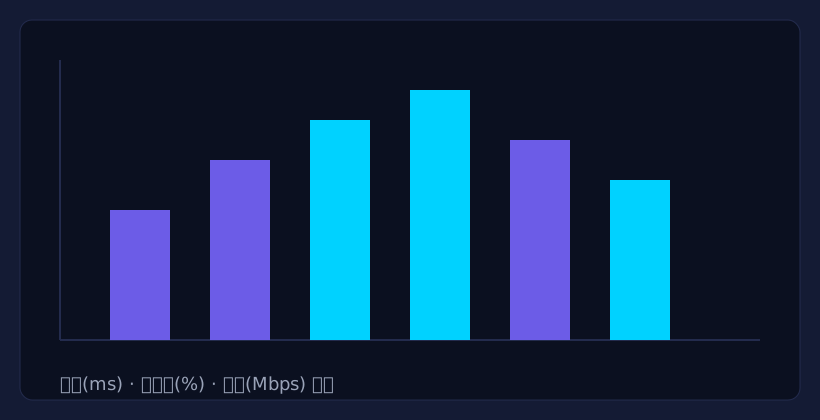
The new engine ran a three-week gray test, comparing "smart selection" and "manual selection" groups. The results were direct: median latency in the smart group dropped from 84ms to 37ms, a 56% decrease; connection success rose from 91.2% to 98.7%. More importantly, the "re-switch rate" — users switching again due to lag — fell from 41% to 9%.
"I used to try several nodes for US servers. Now one click gives me the best, saving at least three minutes." — feedback from gray test user "Alex".
A real case happened in the Southeast Asia cluster. Singapore had 12 servers; users crowded into the first few, leaving head nodes above 90% load while tail nodes sat idle. After the engine launched, new connections were guided to higher-scoring idle nodes, and the region's average load dropped from 78% to 52% while latency dropped another 19ms.
| Metric | Before | After | Change |
|---|---|---|---|
| Median latency | 84ms | 37ms | -56% |
| Connection success | 91.2% | 98.7% | +7.5pp |
| Re-switch rate | 41% | 9% | -32pp |
Smart node selection is the first step, not the end. Next we will add user-profile dimensions to the model — such as detecting "gaming" vs "streaming" users and prioritizing low latency vs high throughput. Back to that 8 PM scenario: now you click "One-Click Connect" once, and the engine computes the optimal route in hundreds of milliseconds. To experience it, visit the download center or free VPN download.
User Comments
328 collected, curated below.
Smart selection saves so much time, one click and latency stays around 30ms.
Meetings no longer hit congested nodes, video calls rarely freeze now.
I do not understand the algorithm, but connections feel faster and more stable.